Step 1
Open any invoice
Open any email with an invoice, whether the data is in the body or a PDF attachment. No forwarding, no templates. Open the Mail2Ledger sidebar and the AI extracts everything.
For freelancers, small businesses, and accountants
Mail2Ledger's AI processes every invoice you receive. It identifies key data from your attachments and organizes them into a row in Google Sheets or your Excel workbook. Save hours of administrative management with one click.
Free during early access. No credit card.
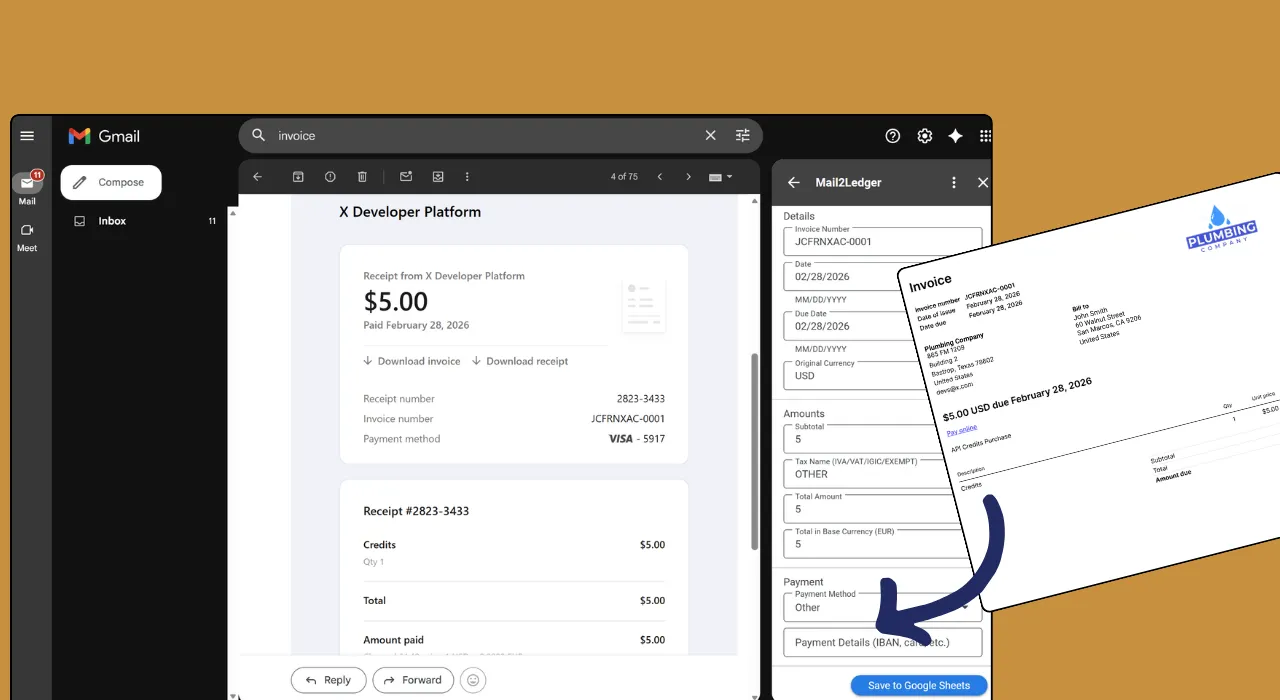
Lives inside Gmail. Reads the invoice, fills the row.
Open the invoice. Verify the data. Send the row to your sheet.
Step 1
Open any email with an invoice, whether the data is in the body or a PDF attachment. No forwarding, no templates. Open the Mail2Ledger sidebar and the AI extracts everything.
Step 2
Check the extracted amounts, taxes, vendor name, and dates. Edit anything that needs a tweak before it hits your spreadsheet.
Step 3
One click and the row appears in your Google Sheet instantly. Amounts, dates, vendor, taxes, all in the right columns, ready for reporting.
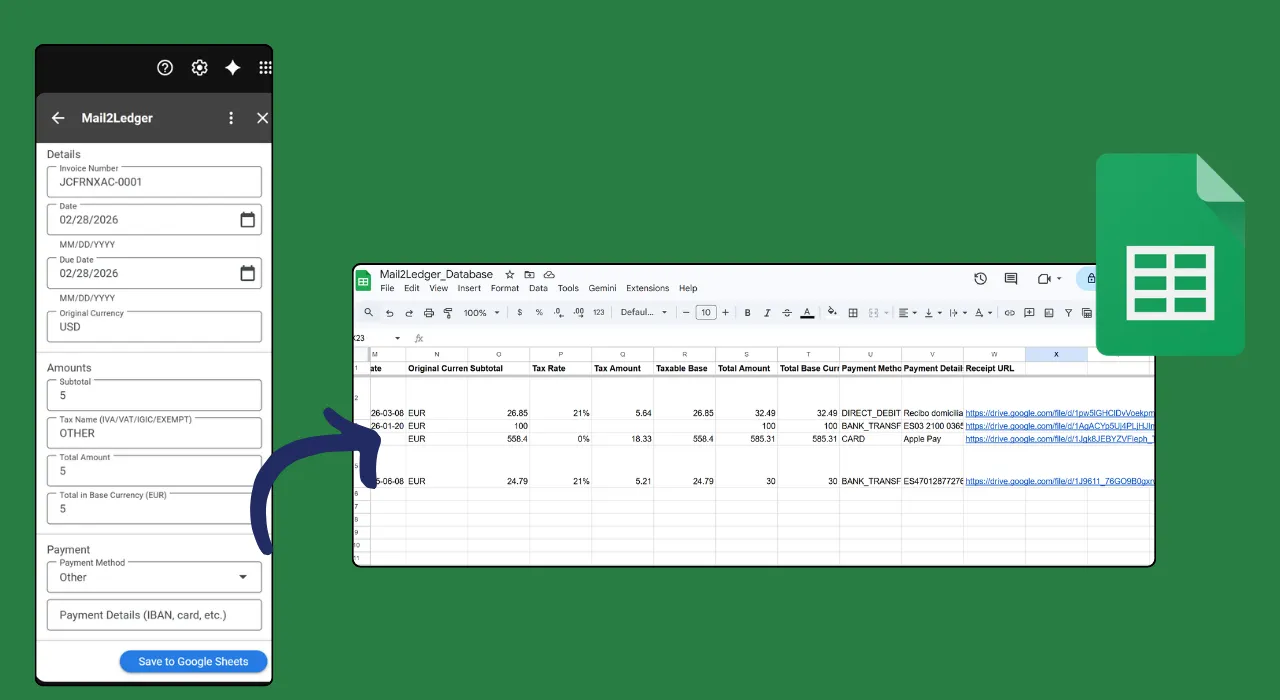
Extracted data syncs directly to your Google Sheet. One click, one new row.
Stop spending Sunday evenings typing invoices into spreadsheets. Mail2Ledger logs every client payment and expense as it arrives. Tax time takes minutes, not days.
You get dozens of supplier invoices a month. Instead of copy-pasting amounts and dates, open the email and let Mail2Ledger do it in one click.
Process a stack of client invoices in minutes instead of hours. Every row lands in Google Sheets with amounts, taxes, and vendor details already filled in.
What makes it different
Gemini AI extracts data from PDFs, body text, and images. No templates, no training, any language and any layout.
Vendor, dates, line items, VAT numbers, multi-currency totals. The compliance details land in your sheet, not in your head.
Verified rows sync to Google Sheets the moment you confirm. Your ledger is current and audit-ready, with no batch jobs or sync windows.
Try it
Free during early access. Install in seconds, no credit card.
Install from MarketplaceGet started
Every invoice you type is time you don't get back. Mail2Ledger is free during early access.
Install from Marketplace