Step 01
Open any email
Open an email with meeting details. Mail2Cal appears in the Gmail sidebar.
Certified extension for Google Workspace
Generate events in Google Calendar with linked attachments and routes calculated via Google Maps. Invite any contact with a single click, without leaving Gmail.
Free during early access. No credit card.
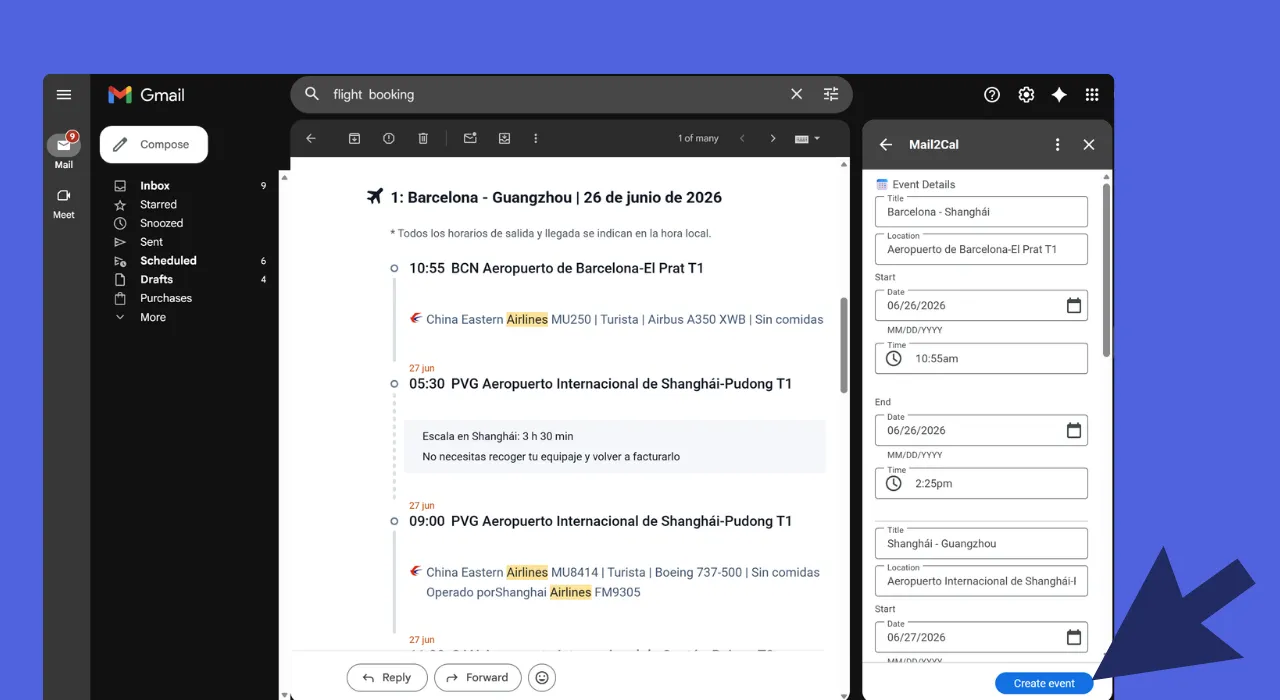
Multiple events from a single email. A full flight itinerary in one pass.
How it works
Step 01
Open an email with meeting details. Mail2Cal appears in the Gmail sidebar.
Step 02
Gemini pulls out date, time, location, and meeting links from the message.
Step 03
Check the extracted details. One click sends the event to Google Calendar with the meeting link inside.
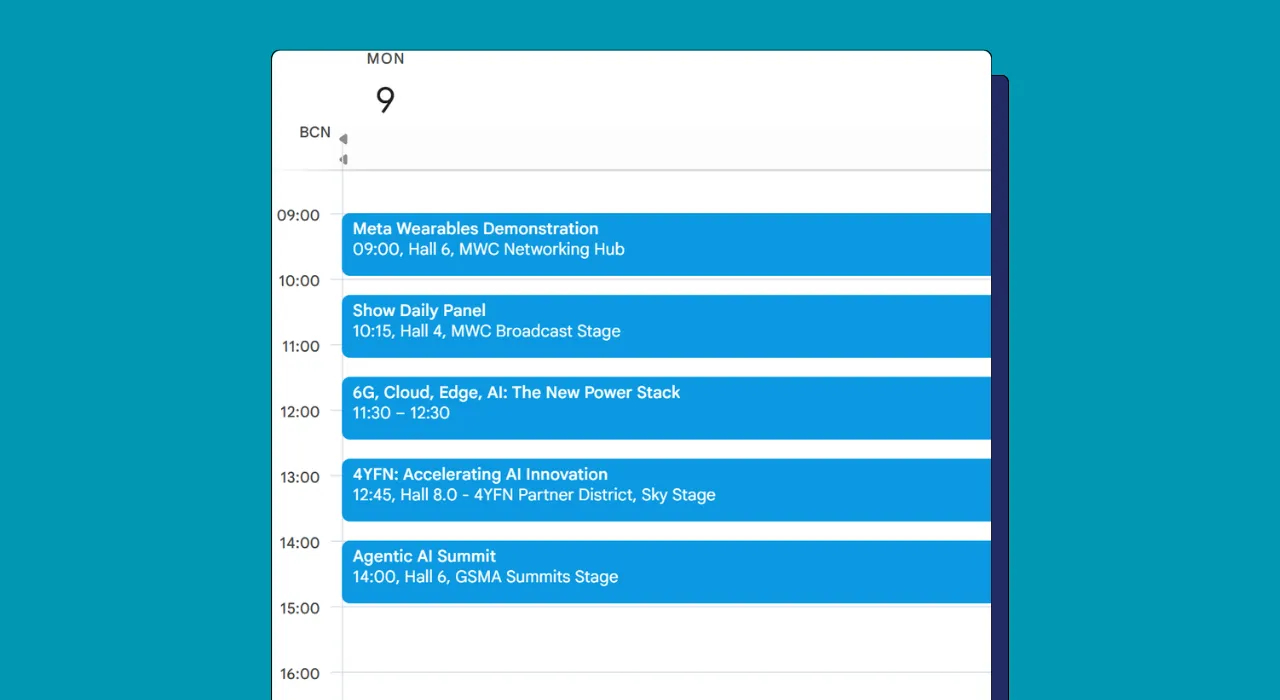
One email becomes an entire week of events.
What it does
Handles informal phrasing, multiple languages, and forwarded threads. Gemini reads context the way a person would, even with typos or unusual wording.
Review the extracted details in the Gmail sidebar and send the event to your calendar. Nothing happens without your click.
Zoom, Google Meet, and Microsoft Teams links are detected in the email and added to the calendar event automatically.
Privacy & Security
Mail2Cal asks for the minimum Gmail scopes it needs and only processes the message you have in front of you. The body is sent to Google Gemini for analysis, then discarded. Nothing is kept on our servers, nothing is used to train models.
Featured on

Get started
Install Mail2Cal, open an email with a meeting, and let Gemini handle the rest.
Install from MarketplaceFree during early access. No credit card.